- Context-aware, dynamically adaptable user interface
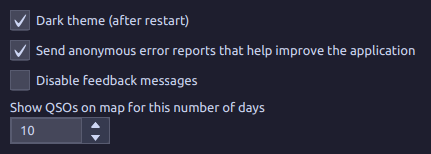
- Feedback messages on logging streak, milestones, achievements, DX alerts, contact history (uses intelligent learning engine as required)
- Minimum keystroke logging, full keyboard navigation (mouse can be used but it's not required)
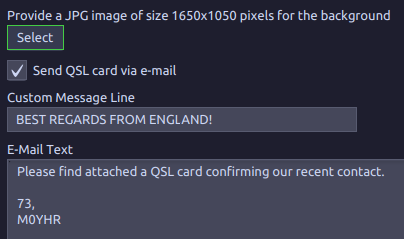
- Create a customised QSL card. Within Picondo, you can save or email it to any contact (takes just a moment)
- Callsign assistance during pile-ups using ; as a separator
- Contact callsign given in NATO alphabet
- F5 key displays current contact on QRZ
- Connect to your rig to automatically track frequency, band, mode, VFO and TX power
- Log digital QSOs in either Picondo or WSJT-X (or compatible application) - all contacts are saved in Picondo
Features
✓ Logging Experience

✓ Logbook Management
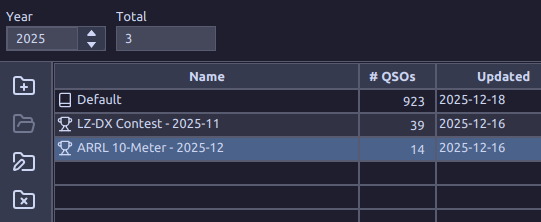
- Logbook profiles for different activities
- Quickly create, open, edit or delete
- Fast, optimised import from or export to ADIF format
- Efficient handling of multiple logbooks
✓ Contesting
- Dedicated logbook profile for contests
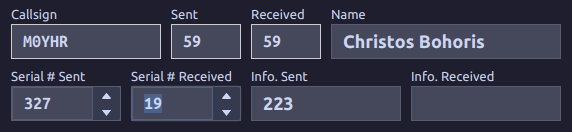
- Logging interface adapts according to the types of information exchanged
- Select a contest or provide contest ID
- Specify exchanged information and any defaults sent in every QSO
- Minimum typing for exchanged information, utilise defaults, auto-increment serial number sent
- Specify Cabrillo header information
- Export Cabrillo file (.log) from contest logbook
✓ Outdoors Activities
- Dedicated logbook profiles for POTA, SOTA and WWFF
- '? on the Air' profile for any other outdoors scheme with configurable activation settings
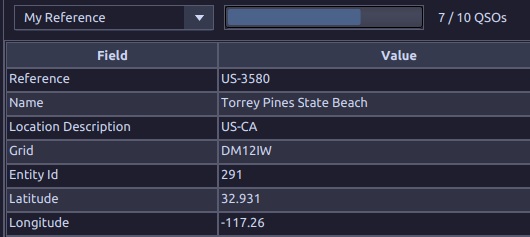
- Information for any outdoors location available after providing a reference in the logging panel or using a command
- Track your outdoors QSOs towards the activation target (over a single day or multiple days as per scheme rules)
✓ Activity Insights & Stats
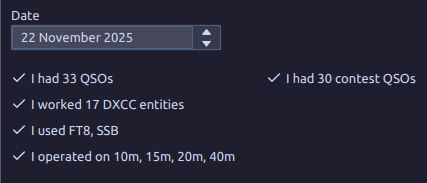
- Capture an image of your activities that you can share with friends or on social media
- Insights and data in graph, summary list and tabular forms
- Activities per band
- Day Overview
- DXCC Entities
- Logbook Overview
- Regional Data. Includes US states, EU member countries, United Kingdom nations, Australian states/territories and Canadian provinces Subscriber Feature
- Zone Data
✓ Map of QSOs
- Dynamically updated map for online or offline use
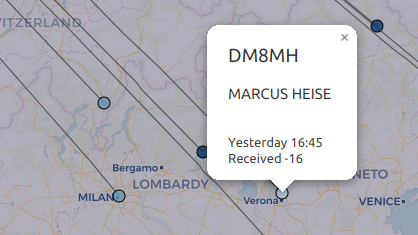
- QSO markers appear on the world map with colours that indicate your received signal report (darker colours = stronger received signals)
- Quickly capture your map of QSOs in an image that you can share with friends or on social media
- QSO markers display a pop-up of basic QSO and contact information
- Automatically updates the day/night terminator line
✓ Tools
- Dynamically updated weather indicators, current and forecasted (from NOAA data)
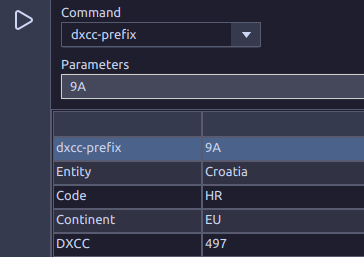
- Commands providing quick access to information while operating
- Live DX spots feed with click-to-tune, fully customizable with band and mode filters
- Visual bandmap of DX spots with click-to-tune and aging spot visualization Subscriber Feature
- Double-click any DX spot to auto-fill the logging panel and set your rig frequency
- Fast QSO searches
✓ General
- Automatic upload to QRZ, LoTW or ClubLog online services Subscriber Feature
- Manual upload to QRZ, LoTW or ClubLog online services
- Backup and restore all your Picondo data (logbooks, QSOs, contests, etc) in JSON format Subscriber Feature
- Export and import QSOs using the ADIF format
- ADIF export for multiple QSOs or a whole logbook
- Select multiple QSOs for deletion (QSOs are permanently removed after confirmation)
- Edit all the basic information of a QSO (to improve or correct)
- Press F12 to report a Picondo issue with a description and application log. The log contains anonymous operational details and error messages for technical investigation
- Supports HamAward activators using HamConnect
- Write code that interacts with Picondo. Access Picondo data through a REST API or receive logged QSOs in real-time via WebSockets. See example clients in Java, Python and Go
- The user interface language can be in English or Greek
Get Started Today
Picondo v1.0.10
Requires an x64 PC running Windows 11 or a recent version of Linux